|
MakerLabs ACM
|


|
|
MakerLabs ACM
|
|
Top-level WebComponent which has auth sidebar, search box, and form. More...
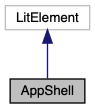
Top-level WebComponent which has auth sidebar, search box, and form.
Properties on this component are used to specify configuration values such as for Google Spreadsheet / Google Drive settings, as well as endpoint URLs.
Field descriptions are loaded dynamically via a Google Apps Script handler which lists the Google Spreadsheet Users sheet columns and validations, and returns a JSON description of metadata for all fields. The fields metadata is provided to the <view-user-form> as an input property.
Public Member Functions | |
| constructor () | |
| render () | |
| LitElement lifecycle hook. Re-rendered after any update(). More... | |
| async | updated (changedProperties) |
| LitElement lifecycle hook. Called whenever the element's DOM has been updated and rendered. More... | |
| firstUpdated (changedProperties) | |
| LitElement lifecycle hook. Called after the element's DOM has been updated the first time, immediately before updated() is called. More... | |
| handleActivityCallback (data) | |
| displayDialog (dialogMetadata) | |
| Update dialog metadata, and open a popup dialog immediately. More... | |
| populateAuthTokens () | |
| Fetch a new OAuth token, valid for 1 hour. More... | |
| async | fetchUserFields () |
Fetch and parse fields JSON from fieldsUrl (using user's OAuth accessToken). More... | |
| loginFirebase () | |
Use users OAuth idToken to login to Firebase directly. More... | |
| handleFirebaseAuthStateChange (user) | |
Update currentUser from Firebase User object. More... | |
| async | handleAuthSignIn () |
| Handle sign-in tasks. More... | |
| handleAuthSignOut () | |
| Trigger Firebase sign-out. More... | |
Static Public Member Functions | |
| static get | properties () |
| WebComponent properties that can be used as HTML attributes. More... | |
|
inline |

|
inline |
Update dialog metadata, and open a popup dialog immediately.
| dialogMetadata | Use the following fields for the dialog: {title, helpText, errorText} |
|
inline |
Fetch and parse fields JSON from fieldsUrl (using user's OAuth accessToken).
|
inline |
LitElement lifecycle hook. Called after the element's DOM has been updated the first time, immediately before updated() is called.
| changedProperties | JS Map containing properties which have changed |
Setup event listeners:
auth element sends currentUser event, handle sign-in/sign-outform component sends reset-form event, clear the search barform component sends updated-user event, merge new user details into the search barsearch component sends search event:item.type is "user":item.type is "machine":readers/{machineId}/latestUserreaders/{machineId}/latestUser, if value is updated:
|
inline |
|
inline |
Handle sign-in tasks.
Users fields JSON
|
inline |
Trigger Firebase sign-out.
|
inline |
Update currentUser from Firebase User object.
|
inline |
Use users OAuth idToken to login to Firebase directly.
|
inline |
Fetch a new OAuth token, valid for 1 hour.
accessToken and idToken.idToken to trigger loginFirebase().
|
inlinestatic |
WebComponent properties that can be used as HTML attributes.
| sheetId | Google Apps Sheet ID |
| machineId | Currently selected machine ID (e.g. Front Desk) |
| accessToken | OAuth access token (time-limited) for accessing Google Spreadsheets, Drive services on behalf of the logged-in user |
| idToken | OAuth OIDC ID token (time-limited) for accessing Firebase services on behalf of the logged-in user |
| oauthClientId | OAuth Application Client ID |
| oauthScopes | Space-separated list of OAuth scopes / permissions to be requested |
| fieldsUrl | URL for endpoint which returns Spreadsheet Columns as Fields JSON |
| nextMakerLabsIdUrl | URL for endpoint which returns next MakerLabs ID (ML___) |
| fields | Form fields JSON (obtained by querying Users Sheet Columns) |
| userName | User name of currently selected user |
| usersSearchColumns | Comma-separated list of Users sheet column letters needed for search |
| defaultPhotoUrl | Default URL for placeholder image to use for Maker without a profile image |
| profilePhotosFolderId | Google Drive Folder ID to be used as the parent for uploaded images (defaults to "root") |
| query | Optional user name to load into form immediately upon loading page |
| emptyImageData | Default image data to display if no image data is provided (a blank PNG) |
| dialogMetadata | Optional object describing dialog popup which should be shown (if any) |
|
inline |
LitElement lifecycle hook. Re-rendered after any update().
html`` literal, containing desired DOM state. 
|
inline |
LitElement lifecycle hook. Called whenever the element's DOM has been updated and rendered.
| changedProperties | JS Map containing properties which have changed |
If the fields property has changed and is non-empty:
Name or MakerLabs ID