|
MakerLabs ACM
|


|
|
MakerLabs ACM
|
|
WebComponent which shows a sign-in / sign-out button and triggers a Google Auth popup flow. More...
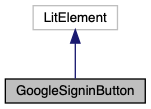
WebComponent which shows a sign-in / sign-out button and triggers a Google Auth popup flow.
Emits auth-error event if Google Auth API cannot be initialized.
Emits currentUser event with details of current user (name, email, photo).
Public Member Functions | |
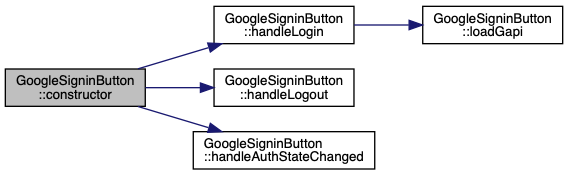
| constructor () | |
| render () | |
| LitElement lifecycle hook. Re-rendered after any update(). More... | |
| get | cookieWarningDialogMetadata () |
Returns details to be shown in a dialog to the user regarding enabling 3rd-party cookies support for accounts.google.com. More... | |
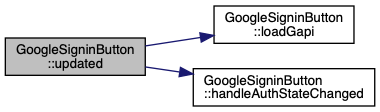
| async | updated (changedProperties) |
| LitElement lifecycle hook. Called whenever the element's DOM has been updated and rendered. More... | |
| async | handleLogin () |
| Trigger a Google Auth popup. More... | |
| async | handleLogout () |
| Trigger Google Auth sign-out. More... | |
| async | handleAuthStateChanged (signedIn) |
| Extract user details (name, email, photo) from logged-in user. More... | |
Static Public Member Functions | |
| static get | properties () |
| WebComponent properties that can be used as HTML attributes. More... | |
| static async | loadGapi () |
Create a dynamic <script> element to load Google gapi client library and wait for it to be loaded. More... | |
|
inline |
|
inline |
Returns details to be shown in a dialog to the user regarding enabling 3rd-party cookies support for accounts.google.com.
title and helpText of the dialog.
|
inline |
Extract user details (name, email, photo) from logged-in user.
| signedIn | Boolean to describe whether user is currently signed-in |
Dispatch currentUser event with extracted user details.
|
inline |
Trigger a Google Auth popup.

|
inline |
Trigger Google Auth sign-out.
|
inlinestatic |
Create a dynamic <script> element to load Google gapi client library and wait for it to be loaded.
|
inlinestatic |
WebComponent properties that can be used as HTML attributes.
| signedIn | Boolean to set whether a valid Google Auth user has been logged in |
| oauthClientId | OAuth Application Client ID |
| oauthScopes | Space-separated list of OAuth scopes / permissions to be requested |
| googleAuthInitialized | Boolean to set whether Google Auth library has been loaded |
|
inline |
LitElement lifecycle hook. Re-rendered after any update().
html`` literal, containing desired DOM state. 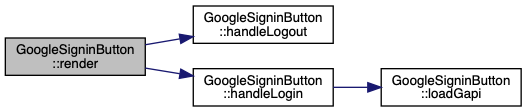
|
inline |
LitElement lifecycle hook. Called whenever the element's DOM has been updated and rendered.
| changedProperties | JS Map containing properties which have changed |
If Google Auth API has not been initialized, and OAuth client app settings are present:
auth-error event with details in case of error).