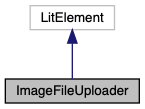
WebComponent which displays an image, and also supports uploading a new image to Google Drive via drag n' drop, or a file picker window.
More...
WebComponent which displays an image, and also supports uploading a new image to Google Drive via drag n' drop, or a file picker window.
|
| static get | properties () |
| | WebComponent properties that can be used as HTML attributes. More...
|
| |
◆ accessToken()
| get ImageFileUploader::accessToken |
( |
| ) |
|
|
inline |
Check if Google Auth user is currently logged-in, and extract the OAuth accessToken for Google Drive access.
- Returns
- OAuth
accessToken
◆ clearUploadedFiles()
| ImageFileUploader::clearUploadedFiles |
( |
| ) |
|
|
inline |
Clear the temporary data storage of the uploaded file.
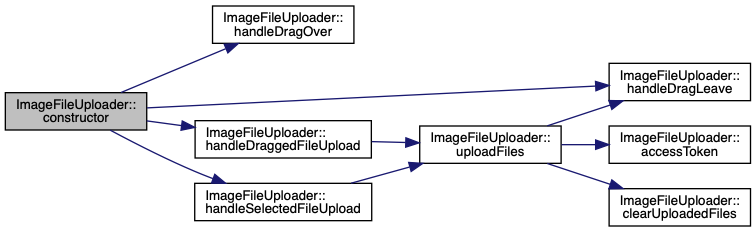
◆ constructor()
| ImageFileUploader::constructor |
( |
| ) |
|
|
inline |
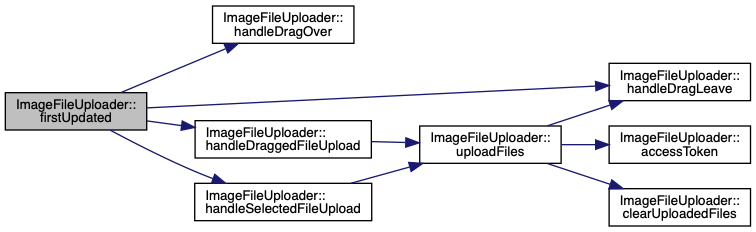
◆ firstUpdated()
| ImageFileUploader::firstUpdated |
( |
|
changedProperties | ) |
|
|
inline |
LitElement lifecycle hook. Called after the element's DOM has been updated the first time, immediately before updated() is called.
- Parameters
-
| changedProperties | JS Map containing properties which have changed |
Setup event listeners:
- On
dragover, draw a border around the drop zone.
- On
dragleave, cancel the border when no longer dragged over.
- On
drop, begin the file upload immediately.
- On
change, begin the file upload after selecting a file with the chooser dialog
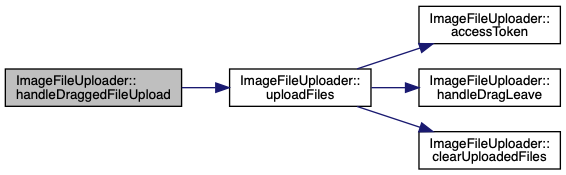
◆ handleDraggedFileUpload()
| ImageFileUploader::handleDraggedFileUpload |
( |
|
evt | ) |
|
|
inline |
Called when files are uploaded via drag n' drop.
◆ handleDragLeave()
| ImageFileUploader::handleDragLeave |
( |
|
evt | ) |
|
|
inline |
dragleave handler to clear the drop effect.
◆ handleDragOver()
| ImageFileUploader::handleDragOver |
( |
|
evt | ) |
|
|
inline |
dragover handler to set the drop effect.
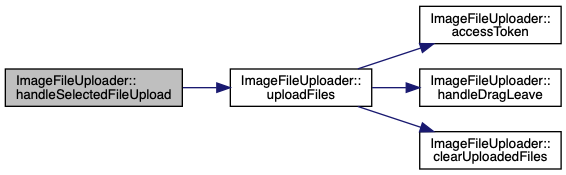
◆ handleSelectedFileUpload()
| ImageFileUploader::handleSelectedFileUpload |
( |
|
evt | ) |
|
|
inline |
Called when files are uploaded via the OS file picker dialog.
◆ properties()
| static get ImageFileUploader::properties |
( |
| ) |
|
|
inlinestatic |
WebComponent properties that can be used as HTML attributes.
- Parameters
-
| src | Array of User/Machine info for searching and displaying a popup window |
| name | Array of User/Machine info for searching and displaying a popup window |
| emptyImageData | Default image data to display if no image data is provided (a blank PNG) |
| parentFolderId | Google Drive Folder ID to be used as the parent for uploaded images (defaults to "root") |
◆ render()
| ImageFileUploader::render |
( |
| ) |
|
|
inline |
LitElement lifecycle hook. Re-rendered after any update().
- Returns
- LitElement
html`` literal, containing desired DOM state.
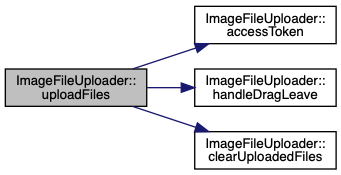
◆ uploadFiles()
| ImageFileUploader::uploadFiles |
( |
|
files | ) |
|
|
inline |
Uploads the content to Drive & displays the results when complete.
Trigger a file upload via Google Drive MediaUploader, then:
- Parse the uploaded file response metadata
- Check if a valid web content link was created/found
- Determine the URL for a 300px thumbnail image
- Update displayed image
The documentation for this class was generated from the following file: